Yesware · 2021 · Senior Product Designer
Yesware Workflows
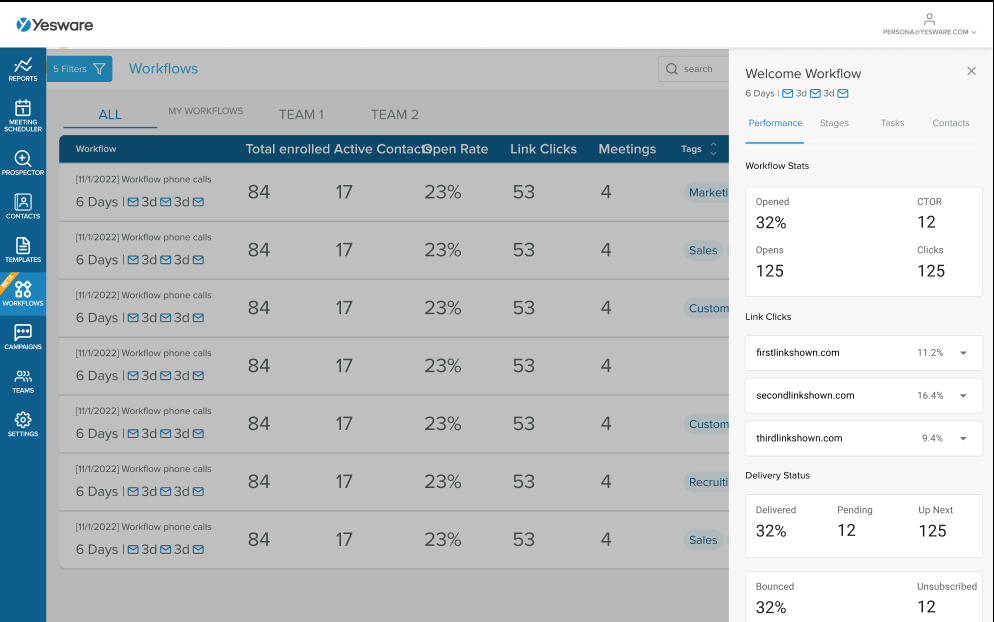
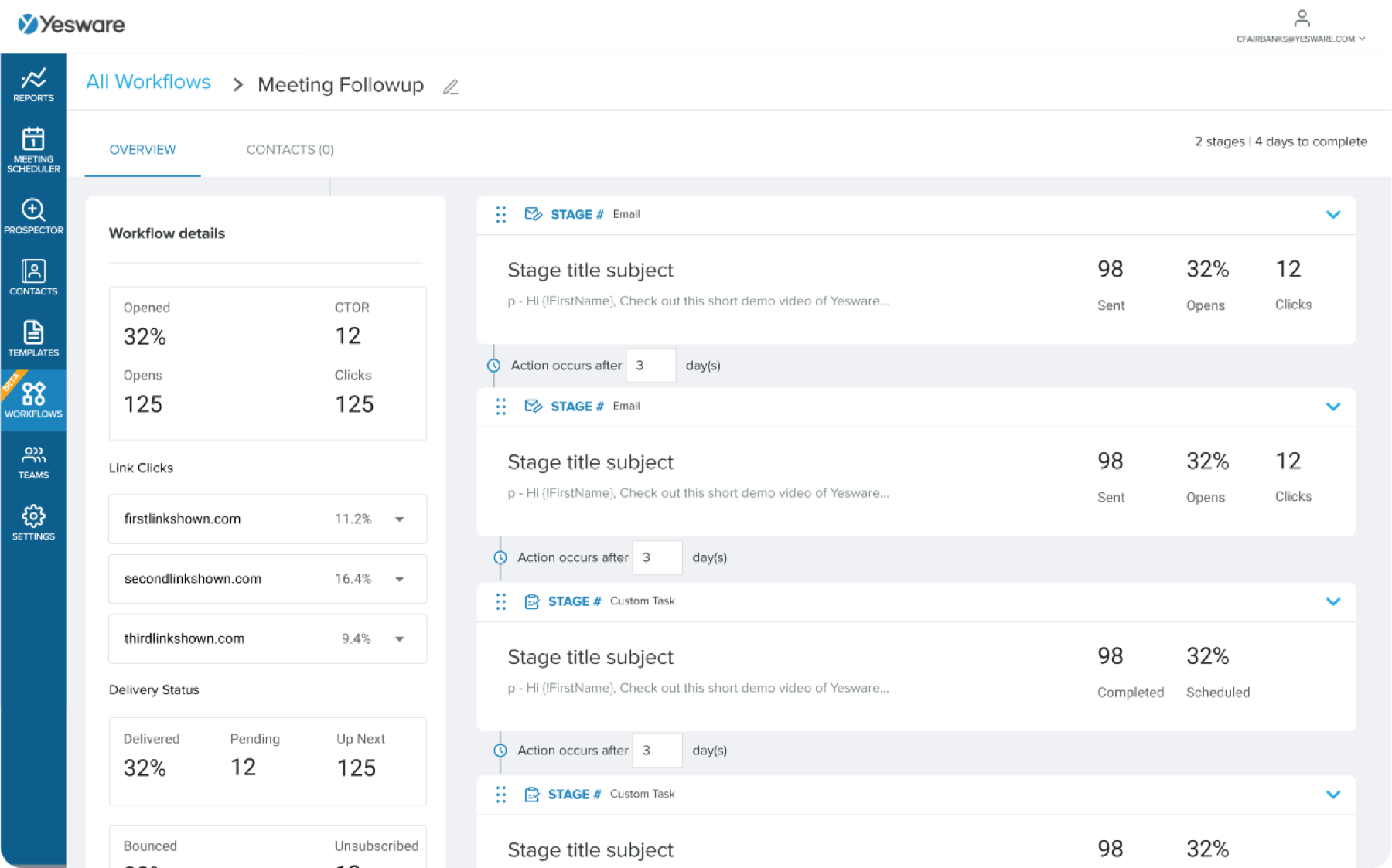
Rebuilt sales campaigns as multi-touch workflows with CRM-linked contacts and per-stage performance.
- 4
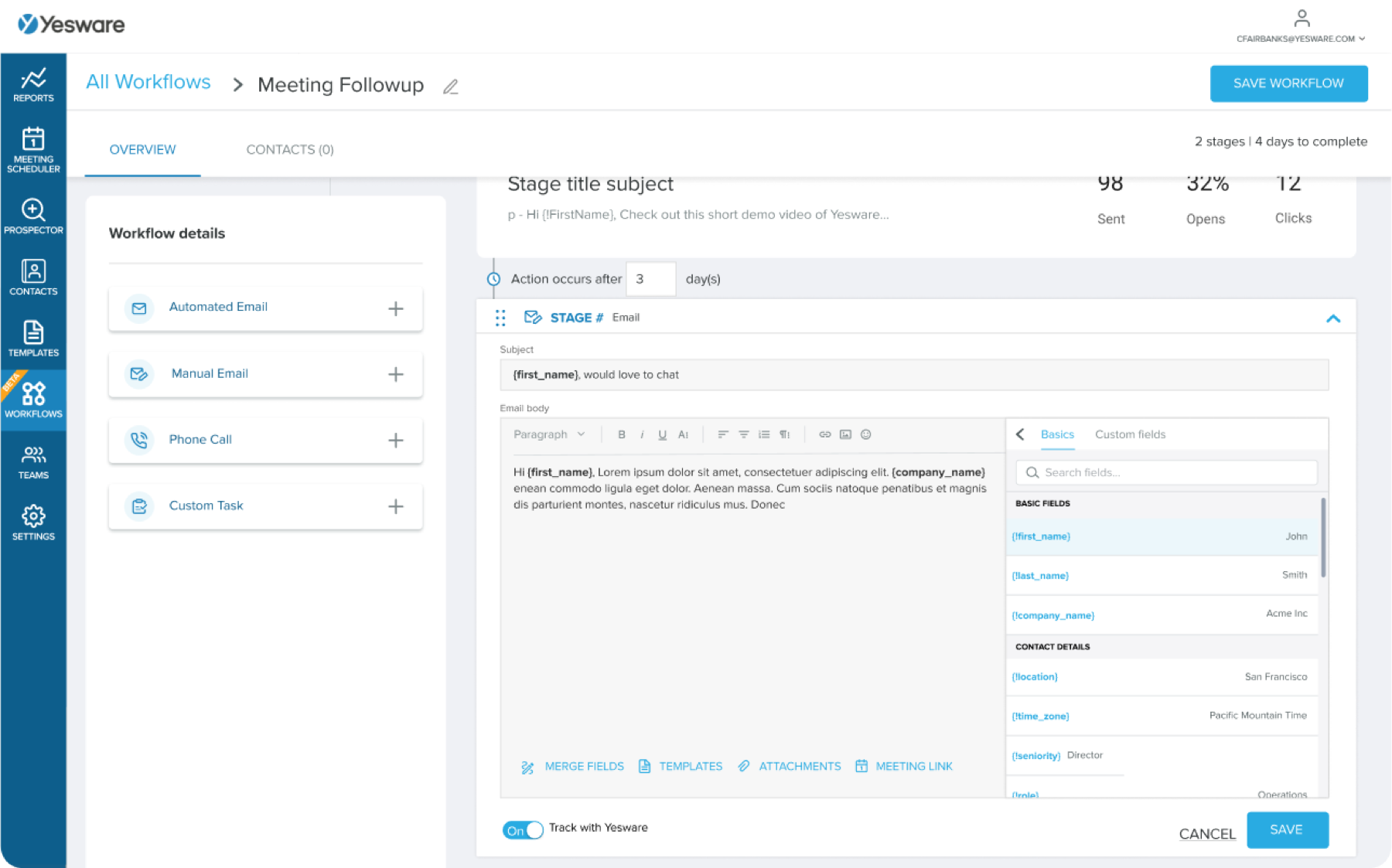
- Touch types: auto email, manual email, call, task
Context
Yesware builds tools for salespeople to engage prospects and see who’s engaging back. Its Campaigns feature — sequences of automated emails — was the product’s biggest growth lever and its biggest churn risk. Campaigns lacked personalization, were hard to build, and couldn’t mix email with calls or tasks. Salespeople who outgrew it went to Outreach or Salesloft.
I designed its replacement, Workflows, end to end.
What had to be true
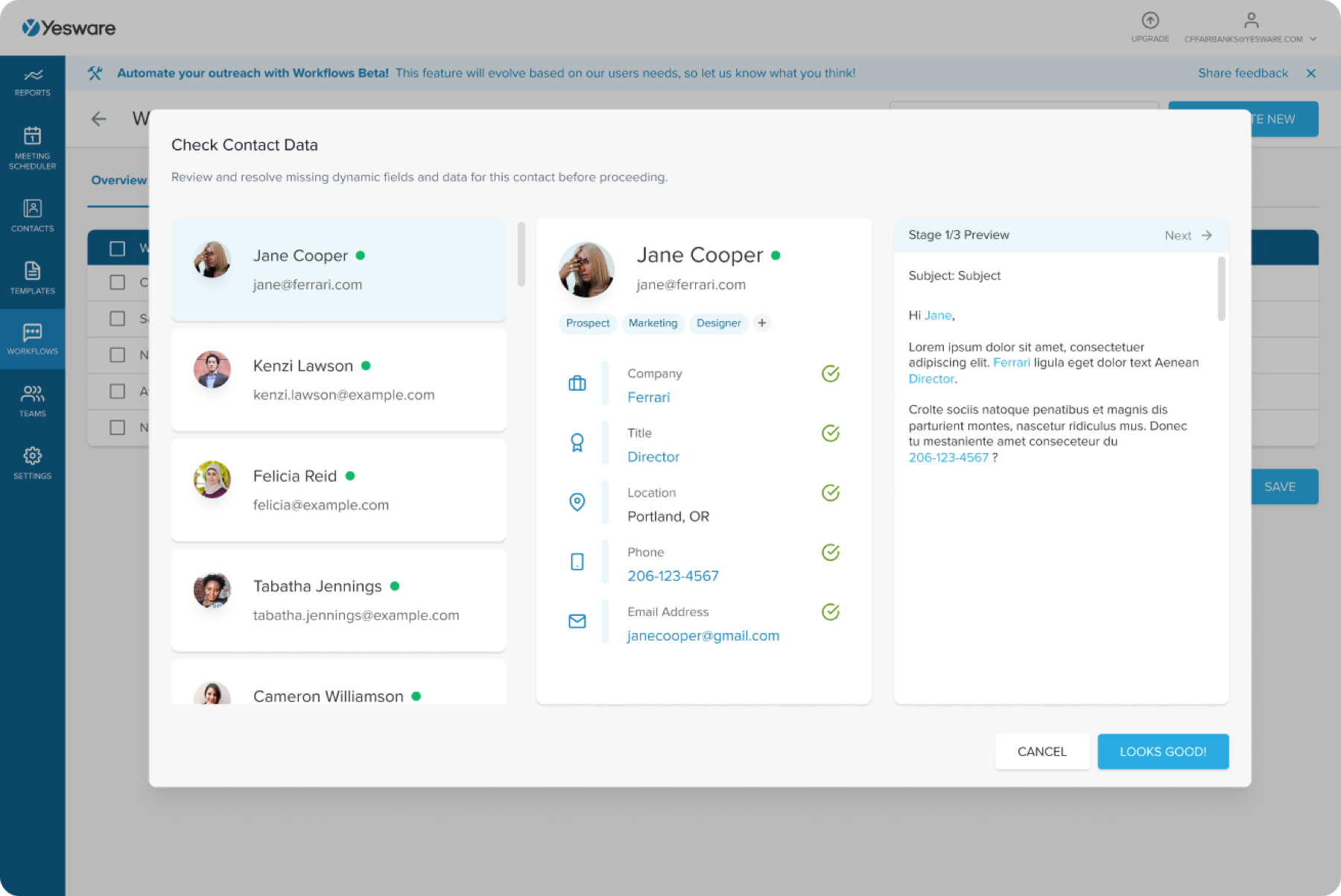
- Creation must be simple and deeply customizable. Multiple touch types, dynamic merge fields pulled from the CRM, templates, calendar links, and email tracking — without feeling like a form.
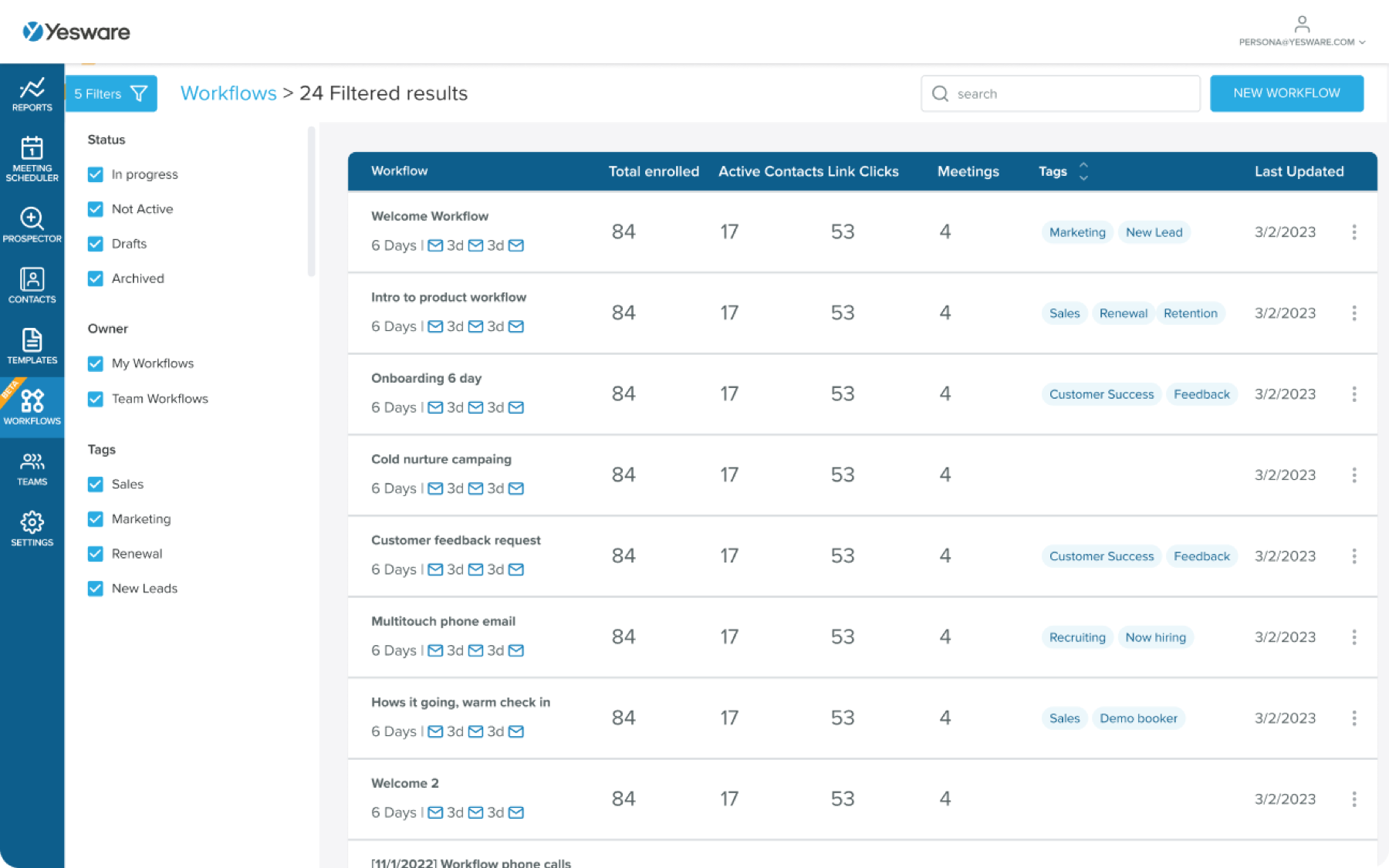
- Performance must be visible per stage, not just per workflow. Salespeople optimize one email at a time.
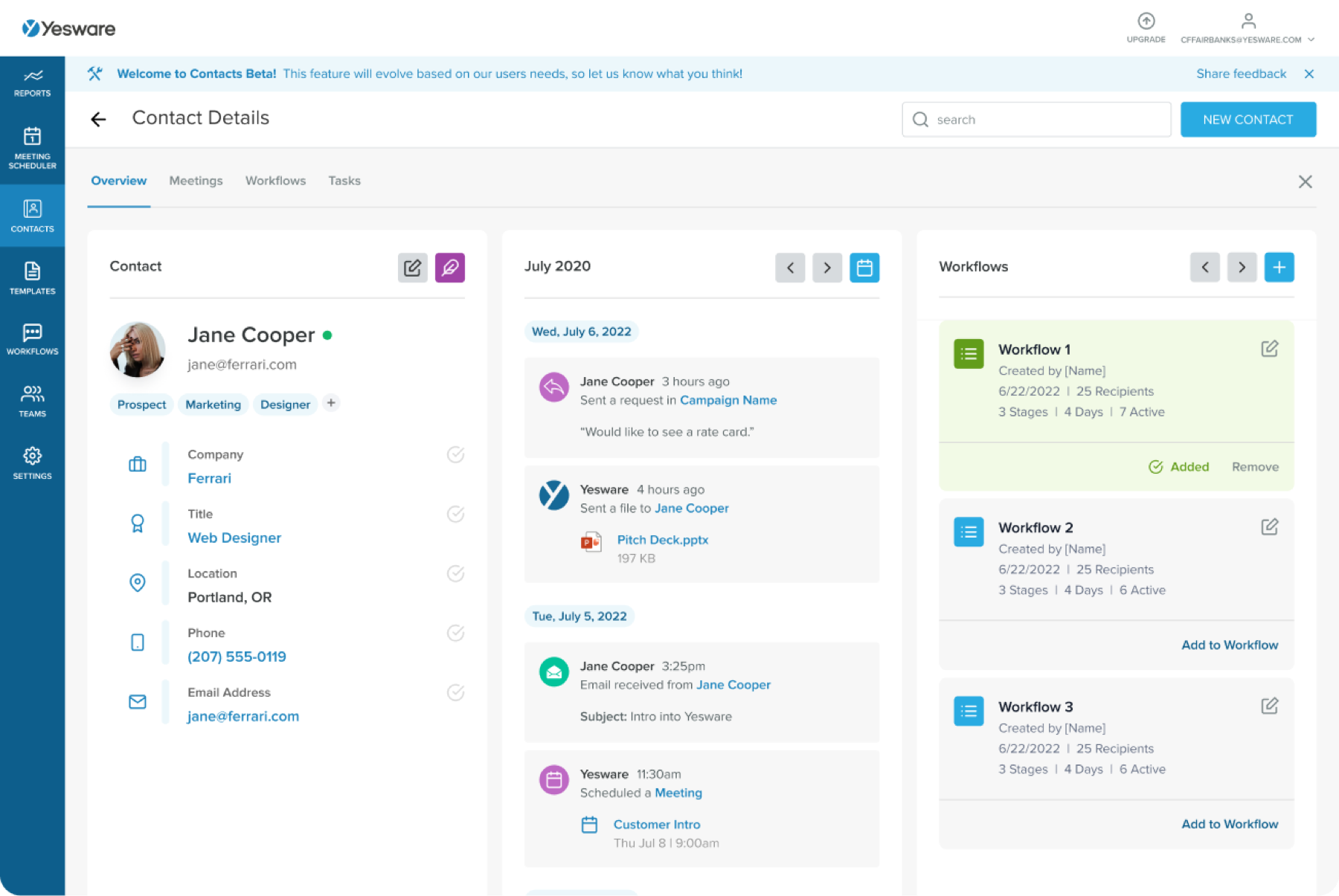
- Contacts must round-trip to the CRM. Every enrollment, reply, and meeting had to map back to the record of truth.
Building a workflow
Contacts and the drawer
Workflows are one step in a salesperson’s day; contacts are the whole day. I designed a Contacts tool that shows a person’s timeline, their workflows, and their CRM fields in one place — and a drawer pattern so contacts could be reviewed or added to a workflow without leaving the workflow.
Seeing everything
Outcome
Workflows shipped as the successor to Campaigns and became the center of Yesware’s outbound product. It was also my first deep piece of enterprise B2B work — the kind of dense, data-heavy tool I’ve been drawn to ever since.